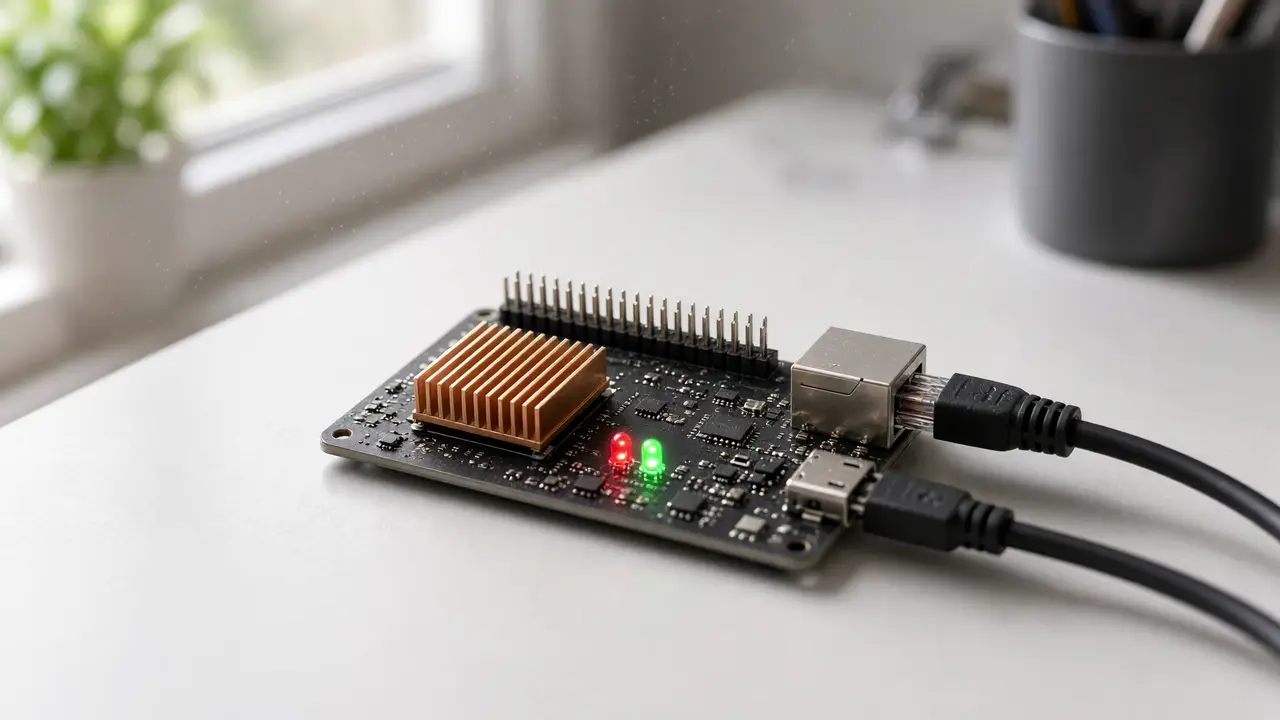
What to run NanoClaw on.
Our pick with a cloud model: Raspberry Pi 5, 16 GB, around €110. The boring choice, and here boring is right.
As an Amazon Associate we earn from qualifying purchases. Your price does not change and no brand pays for a pick (disclosure). RAM sizing is our estimate, not a measurement.
The short answer
| If you run | Buy | RAM | Around |
|---|---|---|---|
| NanoClaw with a cloud model | Raspberry Pi 5 | 16 GB | €110 |
| NanoClaw plus a 7-8B local model | Intel NUC 13 and Geekom IT13 | 32 GB | €300 |
| NanoClaw plus a 70B local model | Mac Mini M4 / M4 Pro | 64 GB | €2200 |
RAM and picks come from NanoClaw's documented requirements and our sizing, which is an estimate: nobody has published a measured minimum. Prices are orders of magnitude. Change the budget below.
NanoClaw by budget: start from what you need
An agent that calls a cloud model, on all the time.
Raspberry Pi 5
Low power and silent. Not for browser automation; local models stop at about 3B.
Browser automation, Docker, or a 7B model next to the agent.
Intel NUC 13 and Geekom IT13
A 13th-gen Intel Core mini PC with 16 to 64 GB of RAM: room for the browser tool and a 7B model at 4-bit.
Local models on the machine, at a usable speed.
Mac Mini M4 / M4 Pro
Unified memory the GPU reads fast; take 24 GB or more for local models. A macOS host, not Linux.
Price ranges from our spec sheets, orders of magnitude rather than quotes. The blueprint is the install and the security checklist for that machine, paid once. As an Amazon Associate we earn from qualifying purchases. Disclosure.
The machine
Raspberry Pi 5
Get the 16 GB configuration or more.
Intel NUC 13 and Geekom IT13
Get the 16 GB configuration or more.
Geekom Mini Air 12
Get the 16 GB configuration or more.
What NanoClaw needs
- Docker is required: every agent group runs in its own Linux container (macOS, Linux, Windows through WSL2).
- Setup is git clone and bash nanoclaw.sh, which installs Node, pnpm and Docker if they are missing.
- Its README asks for about 4 GB of RAM; the installer warns below that.
Our sizing, an estimate: 4 GB at the very least, 16 GB to be comfortable, with the model at a cloud provider. One container per agent group, plus Docker itself: 16 GB if you run more than one group. The project publishes no minimum and we have not measured one.
Sources: NanoClaw README (main, 7be8d7f) · NanoClaw docs · NanoClaw README of February 2026, checked 2026-10-18.
Every machine we cover
| Raspberry Pi 5 | Fits | Get the 16 GB configuration or more. |
| Intel NUC 13 and Geekom IT13 | Fits | Get the 16 GB configuration or more. |
| Mac Mini M4 / M4 Pro | Fits | A Mac mini is a quiet always-on host for NanoClaw: each agent runs in its own Docker container through Docker Desktop, and Claude does the reasoning at Anthropic through the Claude Agent SDK. Our notes |
| Framework Laptop 13 / 16 | Fits | Get the 16 GB configuration or more. |
| Orange Pi 5 Plus | Fits | Get the 16 GB configuration or more. |
| Mac Studio M3 Ultra | Fits | Get the 96 GB configuration or more. |
| MacBook Air M3 / M4 | With caveats | NanoClaw on a fanless MacBook Air is a portable personal setup: agents run in Docker containers through Docker Desktop and Claude runs at Anthropic, so the laptop only hosts the containers. Our notes |
| Lenovo ThinkCentre M75q (used) | Fits | Get the 16 GB configuration or more. |
| Minisforum UM790 Pro | Fits | Get the 16 GB configuration or more. |
| Khadas Edge2 Pro | Fits | Get the 16 GB configuration or more. |
| Dell OptiPlex 3070 / 5070 Micro (used) | Fits | Get the 16 GB configuration or more. |
| Geekom Mini Air 12 | Fits | Get the 16 GB configuration or more. |
Before you install: NanoClaw CVEs
- CVE-2026-90807 (CVSS 6.3): no fixed release known yet.
- CVE-2026-19005 (CVSS 6.3): no fixed release known yet.
- CVE-2026-18991 (CVSS 7.3): no fixed release known yet.
- CVE-2026-17434 (CVSS 6.3): no fixed release known yet.
- CVE-2026-17433 (CVSS 5.3): no fixed release known yet.
NanoClaw on a specific machine
- NanoClaw on a Mac mini: one container per agent group, so memory counts.
Get the exact setup for NanoClaw: everything above, plus the install, on one page you keep.
- The machine for your answers above, the configuration to buy and the parts that go with it.
- The install steps for NanoClaw on that machine, from the project's docs and our setup guides.
- A security checklist for NanoClaw: what is off by default and what to switch on.
- The current CVEs with the release to install, refreshed every time you open the page.
Nothing in it is secret: it is what this site publishes, assembled for your agent and your machine. One payment through Stripe, no account, no subscription. The link is emailed to you.
The shop links go through /go/. As an Amazon Associate we earn from qualifying purchases. The price you pay does not change, and no partner pays for a place in these picks (disclosure). Raspberry Pi 5 on Amazon.